Icon ➜ Auto-Generated Tags
Auto-Tagging an Icon Library with a Zero-Shot VLM (Part 1)
Jul 27, 2026
Introduction
In my earlier post Icon In Action, I introduced Icon Search, a multimodal search system for the Adobe icon system. It has four modes: Match (find an icon by uploading a screenshot), Describe (semantic search), Keyword (retrieve icons by tag), and Usage (find icons inside real product UIs).
Two of these modes, Keyword and the Category filter, rely on something that is easy to ignore: every icon has to carry structured, consistent metadata. Without tags, there is no keyword search.
Adobe's Icon team owns a large library of icons, roughly 30,000 to 32,000 in total, used across Photoshop, Illustrator, Acrobat, and other Adobe products. Today these tags are assigned by hand. That is slow, subjective, and hard to keep consistent as the library keeps growing. This series is about teaching a model to do the work automatically.
Before we let a model do anything, though, we first had to answer a question that looks simple: what is a tag, really?
TL;DR
- The Adobe Icon team owns about 30k–32k icons. Tagging them by hand does not scale, and two careful people often disagree on the "right" tag.
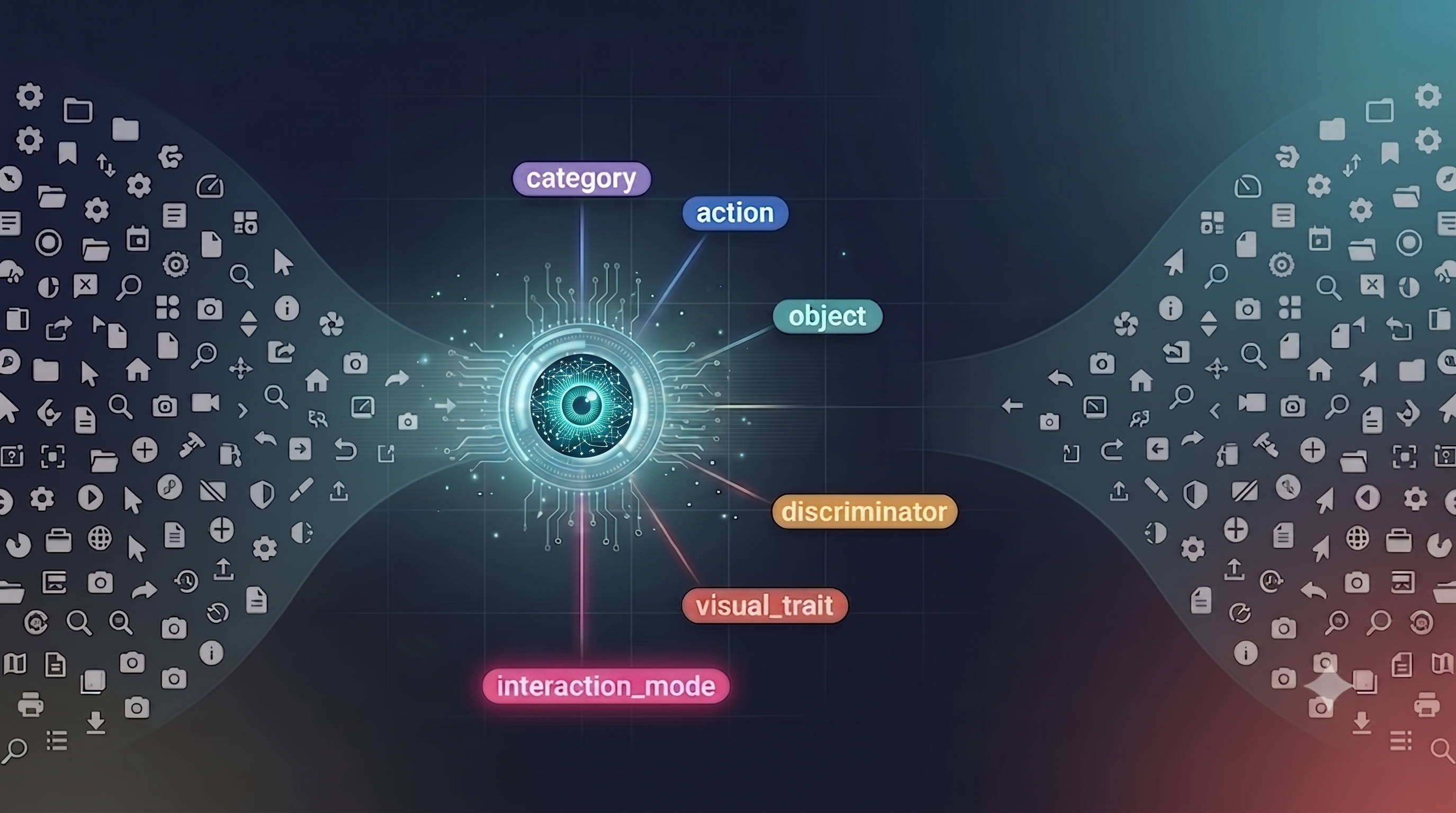
- The solution is not "more tags." It is a six-facet controlled vocabulary (category, action, object, discriminator, visual_trait, interaction_mode), designed by two Adobe icon designers, Hinnerk and Julia.
- Part 1 is about the problem and the schema. In Part 2, a zero-shot vision-language model starts to fill it in.
1. Why tagging an icon is harder than it looks
Tagging an icon sounds like image classification: look at the picture, pick a label. But icons are abstract by design, and the same shape can mean different things in different contexts.
A magnifier can mean search, zoom, inspect, or find. A gear can mean settings, configuration, or properties. A trash can is clearly delete, or maybe remove, trash, clear, or discard. All of these are reasonable answers, and none of them is "the correct one" unless we agree on a convention first.

This ambiguity appears as soon as you ask humans to do the tagging. During this project, two designers tagged the same set of icons independently, and on many icons they simply disagreed. If two careful people can look at the same icon and pick different tags, then "correct" is not a property of the icon itself. It is a convention that we have to decide and write down.
Now multiply this ambiguity by 30,000+ icons and a dozen products. Hand-tagging becomes very hard: slow to do, inconsistent between people, and impossible to keep up to date as new icons ship.
2. Tagging is not classification: six facets, not a flat list
The key realization was that icon tagging is not a single classification problem. It is several problems along independent dimensions. The six-facet vocabulary at the center of this project was designed by two designers on Adobe's icon team: Hinnerk (Senior Staff Designer) and Julia (Staff Designer).
Instead of one tag, every icon gets up to six facets:
categorymedia, navigation, 3d, layout, ai_genactionadd, delete, align, search, signobjectcamera, folder, layer, arrowdiscriminatorplus, check, lock, exclamationvisual_traitcircular, dashed, 3d_perspectiveinteraction_modetoggle, drag_handle, state_indicatorTo see why facets work better than a flat tag list, take one real icon: Alignment3D, a cursor following an object's aligned symbol.
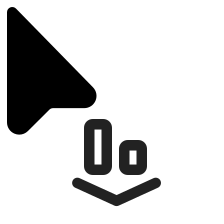
It separates cleanly:
- category:
3d— the domain is 3D. - action:
align— what you do with it. - object:
arrow— the main shape is a cursor, or arrow. - discriminator:
other— there is a modifier, but it is not one of our named values. - visual_trait:
cursor_shape— it is drawn as a cursor. - interaction_mode:
""— no special UI pattern, so it stays empty.
Because the facets are independent, they combine. A user who filters by category: 3d and action: align will find exactly this kind of icon, no matter how it is drawn. A flat tag like "3d align cursor" cannot do this precisely, and two people would write it in three different ways.
The vocabulary is large but bounded: about 28 categories, 60 actions, around 95 objects, 33 discriminators, 20 visual traits, and 18 interaction modes. Large enough to cover the library, small enough to stay consistent.
3. The craft inside the vocabulary
A controlled vocabulary is not just a list. It is a list with rules, and the rules are where most of the real-world mess gets handled.
Mutual exclusions. Some values are opposites, and an icon should pick only one: plus/minus, lock/unlock, play/pause. The schema encodes these pairs, so an icon can never be tagged with both at the same time.
Synonym collapse. Natural language is redundant. delete, remove, trash, and discard all point to the same idea. The vocabulary picks one canonical value and maps the others to it, so everyone converges on a single tag instead of four near-duplicates.
The blank-versus-other rule (the subtle one). This one took me some time to appreciate. For the discriminator facet, there are two different ways to say "nothing":
""(empty) means this icon has no discriminator at all.othermeans this icon has a discriminator, but it is not one we have named.
These are two different facts. Confusing them would quietly damage search. Empty means absence. other means presence without a label. You should never use one in place of the other.
Forbidden tokens. Raw icon filenames carry a lot of noise: S2, Icon, Cur, size suffixes, platform tags. These are stripped before anything reads the name, so the schema (and later the model) only sees the real signal.
4. The real bottleneck is the labels, not the model
I have to admit something. When I started this project, I thought the model would be the hard part. It was not.
The hard part was the taxonomy. Deciding what the facets should be, which values belong under each one, how to resolve synonyms, where the line between category and action actually falls — all of this was a long, ongoing conversation with the designers. The glossary that defines each value is maintained by designers, and when we benchmarked the system, several facets were still marked "pending alignment with the icon designer." The labels were still moving under us.
This reframes the whole project. If the schema is the bottleneck, then the model's job is not to invent tags. Its job is to apply an existing, well-defined schema, consistently. That is, conveniently, a much easier problem. It also explains why Part 2 ends up at "no fine-tuning," but I am getting ahead of myself.
What's next
So we have a precise, six-facet schema, and about 30,000 icons that still need to be filled in. Can a model do this reliably?
A vision-language model can do something a pure image classifier cannot: it can see the icon and also read its name, and then weigh the two against each other. In Part 2, I will show how a 27B-parameter VLM tags icons zero-shot, with no fine-tuning, the prompt that makes it reliable, and the moment I abandoned a fancier approach for something much simpler.
To be continued...