Figma ➜ Finetuned SigLIP2 ViT Icon Encoder
Lessons from Finetuning an Icon Encoder End-to-End (Part 2)
Dec 05, 2025

Introduction
In Part 1, we covered the pipeline from Figma to clean, theme-correct PNGs. Now we dive into the next critical phase: generating high-quality captions at scale and using them to finetune SigLIP2 into an icon-specialized encoder.
TL;DR
- Caption generation strategy combining designer tags, thinking LLMs, and vision-language models
- Human-in-the-loop review tooling built with Gradio for dataset quality control
Building Captions: From Names and Tags to High-Quality Image Captions
SigLIP2, like CLIP, learns from image–text pairs.
Once the PNGs were ready, the hard part was building text that really reflects what each icon means, not what it looks like. This became the most time-consuming part of the project, so I layered several techniques to get both quality and scalability.
The Caption Problem in an Icon Library
The starting point looked like this:
- Over 20,000 icon files after export.
- Roughly 20% had designer-written tags in the Figma component description.
- The remaining 80% only had a component name as semantic signal.
For contrastive training, “just use the name as the caption” wasn’t good enough. I wanted captions that behave like search phrases a designer would type — pure semantics, no visual description. In the final dataset, each icon has 5–8 short phrases, each 1–4 words, all focused on function or intent.
To get there, I built an icon lexicon mining pipeline.
Icon Lexicon Mining Pipeline
-
NLP tokenization and keyword extraction
Use simple NLP (splitting by separators, case patterns, and filter out common prefix/suffix by statistical analysis) to extract candidate keywords from the component name.
Example:
SDC_MarkForRedaction_18_N-SDC___Icons_Acrobat_Desktop_Web_Mobile | | ["mark for redaction", "mark", "for", "redaction"] -
Sanitize tags and tokens
Optionally clean the combined token list (name tokens + designer tags):
- Remove duplicates.
- Drop product names, sizes, DPI, platform suffixes, etc.
- Keep only words that are likely to carry UI semantics.
-
LLM captions for icons with enough lexical signal
For icons whose lexicon has 3 or more useful tokens, send the lexicon to a task-specific system prompt and a thinking model (
gpt-oss-120b, thinking budget = Medium).The model is instructed to generate 5–8 diverse search phrases, each 1–4 words, using patterns such as:
- verb + noun —
hide layer,lock aspect ratio - verb + adjective + noun —
create new folder - adjective + noun —
external link,hidden layer - noun + noun —
document properties,3d gizmo - occasionally noun + verb or noun + adjective, but only if they sound like realistic search queries.
and to avoid visual descriptions like “paper airplane icon with a gear”.
- verb + noun —
-
VLM captions for icons with weak lexical signal
For icons whose lexicon has fewer than 3 useful tokens, I pass the icon image plus the same semantic-focused prompt to Qwen3-VL-32B-Thinking.
This model can leverage the visual metaphor (eye, arrow, document, gear, etc.) together with the minimal text to infer likely UI semantics.Fortunately, only 3,096 icons fell into this “hard case” category; the rest were handled by the LLM alone.
Caption Quality Control with Gradio Tools
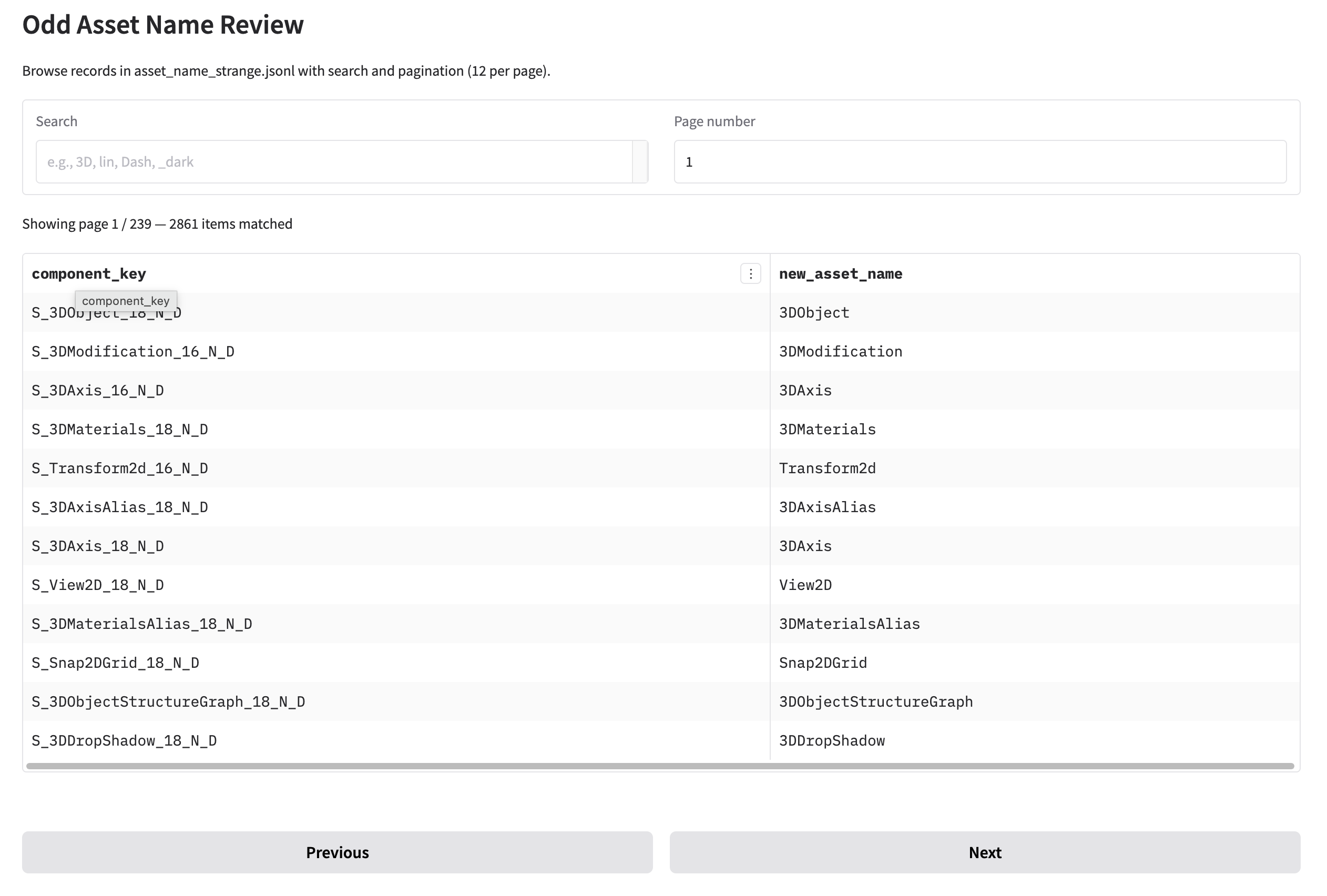
To keep the pipeline honest, I built a small Gradio app to review the lexicon and generated captions for each icon:
- It shows the raw Figma component name, the sanitized lexicon, and the 5–8 generated captions side by side.
- I can quickly spot bad tokens or awkward phrases and adjust the preprocessing rules accordingly.
Aggressive Image–Text Pair Grouping
In CLIP-style contrastive training, when the model sees a batch, each image–text pair is treated as positive for itself and negative for all the other pairs in the same batch. If two almost identical icons with slightly different captions appear in the same batch, they become negatives to each other, which can confuse the training signal.
To reduce this effect, I group icons aggressively by a normalized base name:
- For example,
ArrowRight18,ArrowRight16,ArrowRight12,ArrowRight8,ArrowRight4,ArrowRight0,ArrowRight-4,ArrowRight-8,ArrowRight-12,ArrowRight-16,ArrowRight-18all represent the same arrow icon at different sizes. - These variants are placed in the same group and treated as a single semantic unit during sampling, instead of separate, potentially conflicting negatives.
After grouping and merging near-duplicates, the number of training pairs went from 20,000+ down to a bit over 10,000. This trades some redundancy for cleaner contrastive signals.
Final Check with Gradio Tools
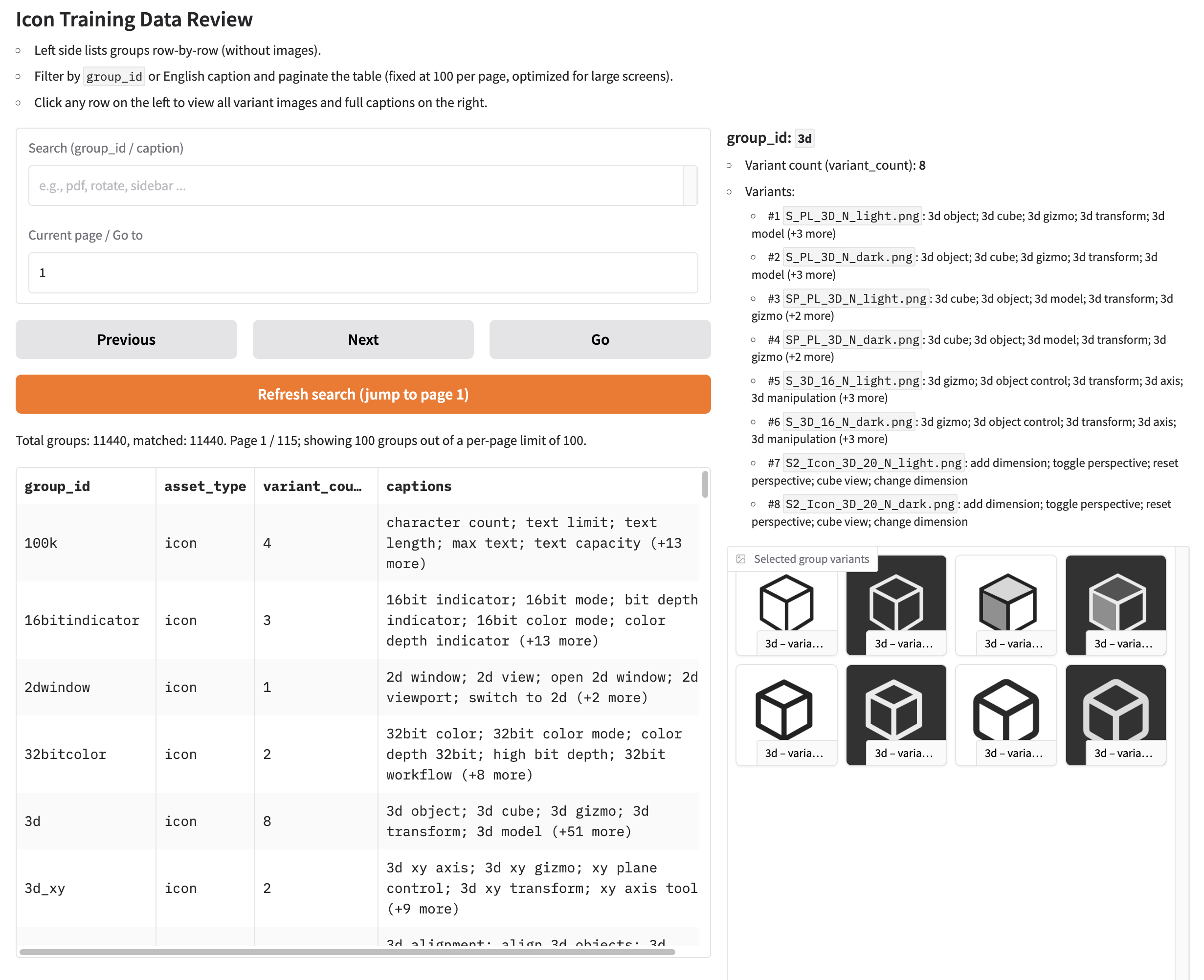
As a last step, I built another Gradio app to review the final grouped dataset:
- Each view shows a cluster of related icons together with all their captions.
- This makes it easy to catch issues such as opposite meanings in the same group or captions that clearly don’t match the visuals.
To be continued... Part 3